Overview
If recently added or updated assets are not appearing on the map, your browser may be displaying a cached version of AssetWhere. Clearing the browser cache and performing a hard refresh will usually resolve the issue
Symptoms
You may need to clear your cache if:
- Recently updated assets are missing from the map.
- New data is not visible after a data update.
- AssetWhere appears different from what other users can see.
- Layers or features do not appear to have been updated.
Solution: Clear Browser Cache and Refresh AssetWhere
Google Chrome
- Open AssetWhere.
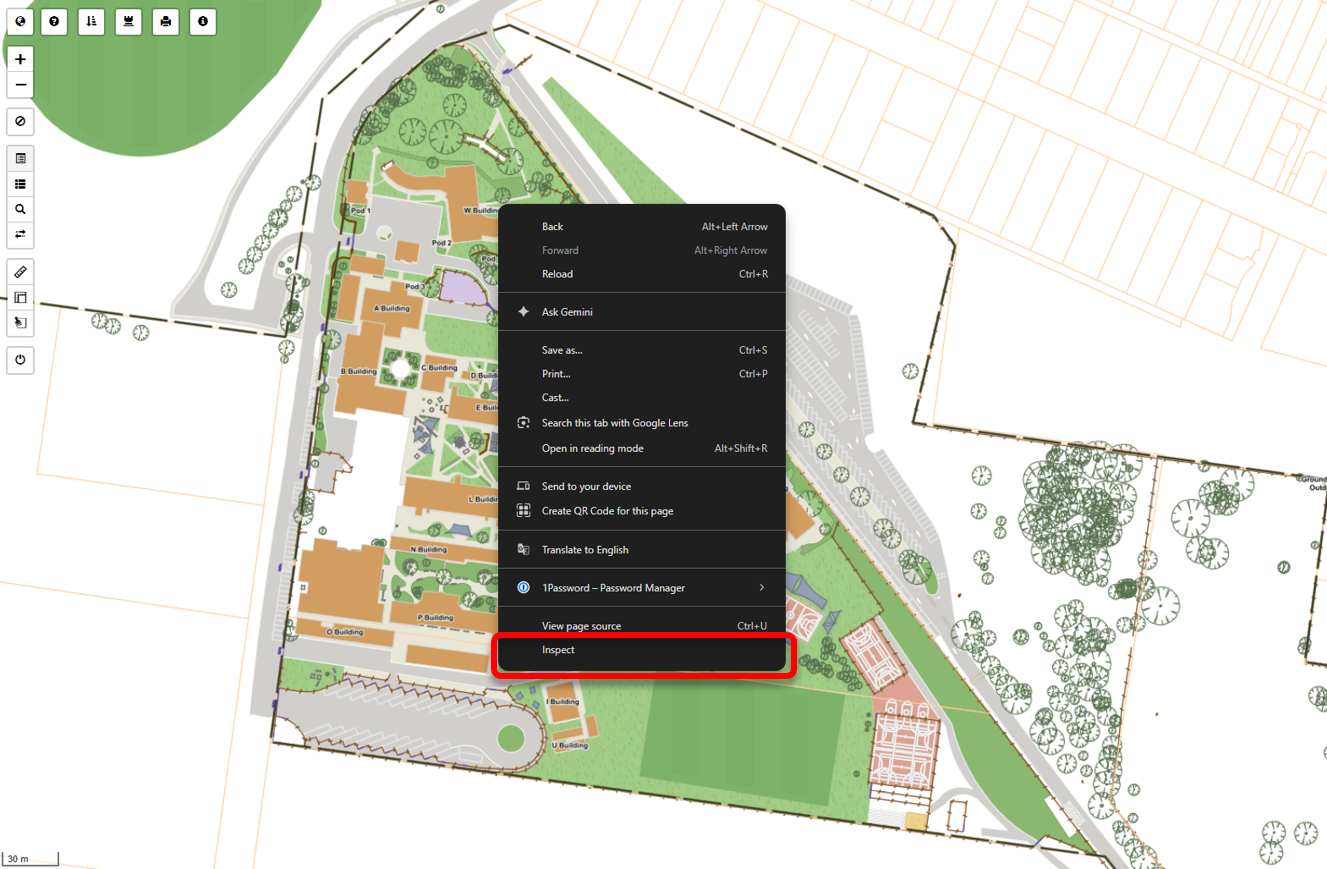
- Right-click anywhere on the map and select Inspect.
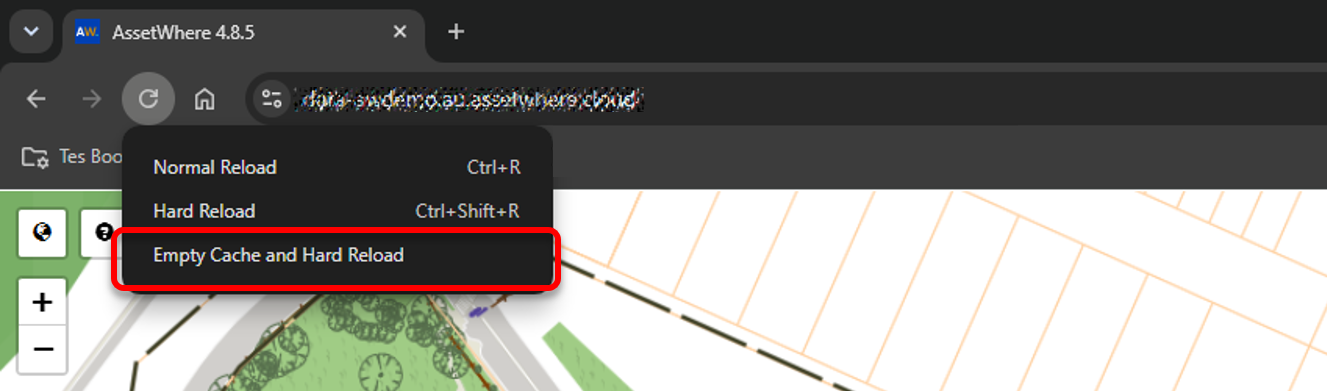
- With the inspect panel open on the right, right-click on the reload button to pull up a secondary menu. Click ‘Empty Cache and Hard Reload’.
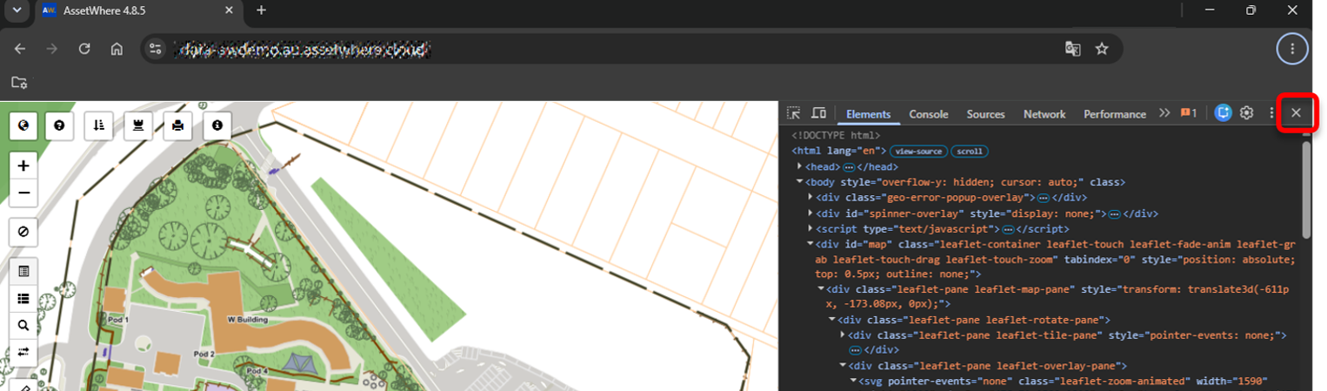
- Wait for AssetWhere to reload. The page will reload, and you should now see a refreshed version of AssetWhere. You can now close the ‘Inspect’ panel using the X in the top right corner.
- Verify that the updated assets are now visible on the map.
Firefox
- Open AssetWhere.
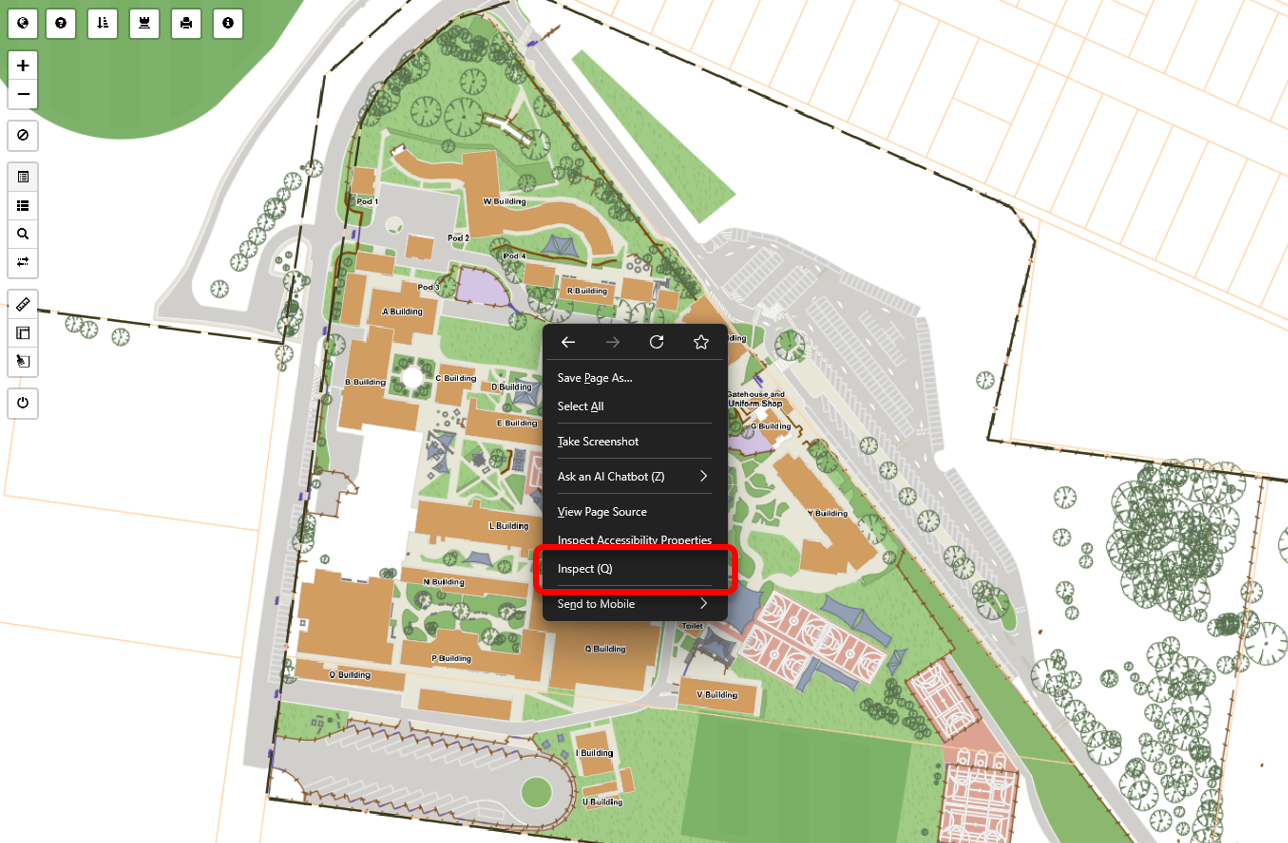
- Right-click anywhere on the map to bring up the context menu. Click on ‘Inspect (Q)’.
- An inspection panel will open. The following step is done only once:
- Click on settings (on top-right):
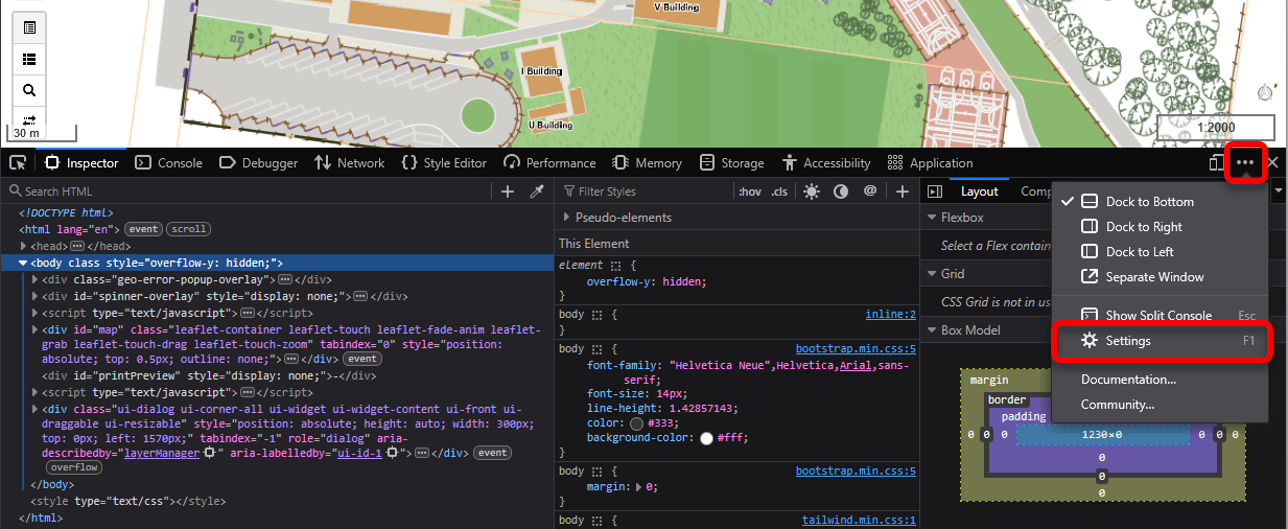
- Make sure that the checkbox 'Disable HTTP Cache (When toolbox is open)' is checked.
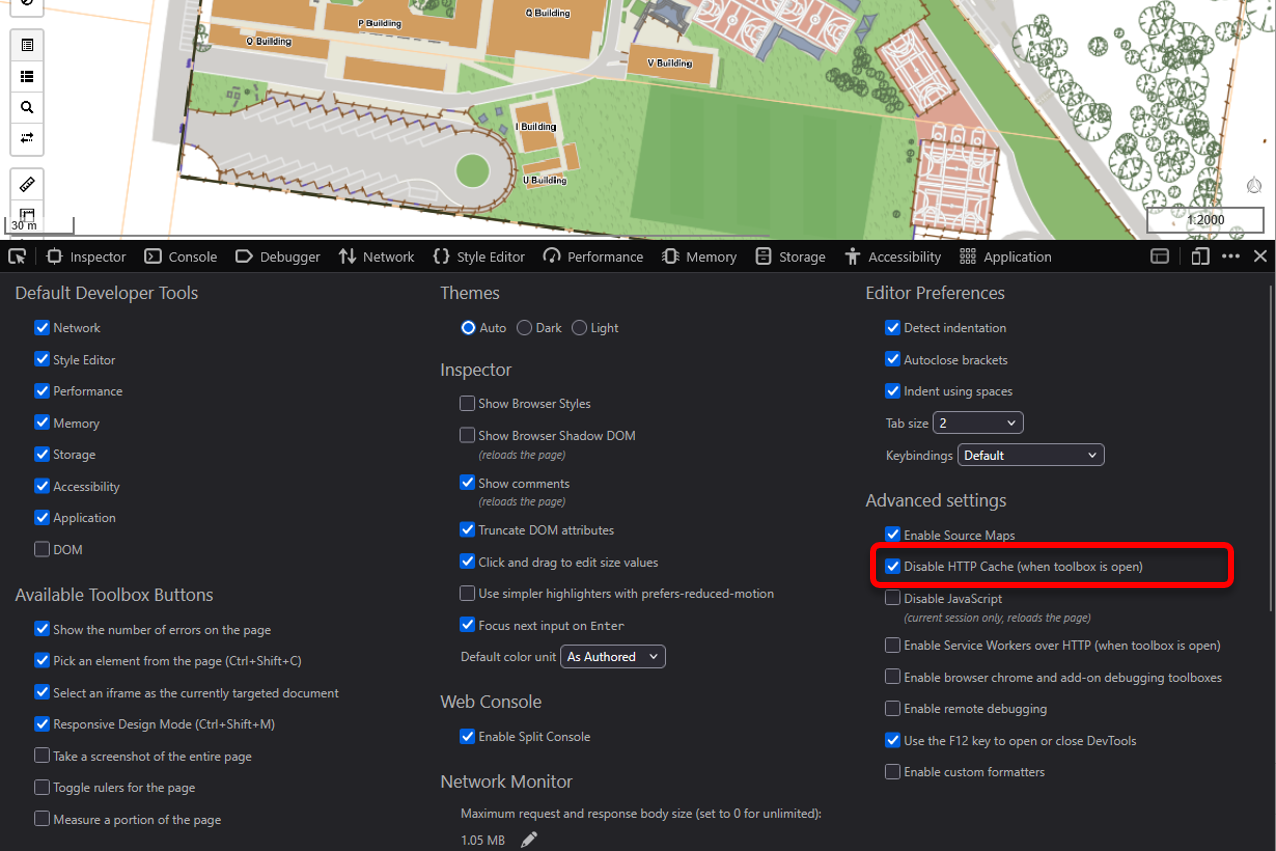
- Click on settings (on top-right):
- Refresh the page by clicking the reload button, or by pressing F5.
- The page will reload, and you should now see a refreshed version of AssetWhere. You can now close the ‘Inspect’ panel using the X in the top right corner.
Still Missing Assets?
If you are still unable to see the updated assets after completing the steps above, please email us at assetwheresupport@tes.com . Our team will be happy to assist you.
Was this article helpful?
That’s Great!
Thank you for your feedback
Sorry! We couldn't be helpful
Thank you for your feedback
Feedback sent
We appreciate your effort and will try to fix the article